You've mastered AI prompt basics. But these 7 advanced mistakes could still be sabotaging your image quality. Fix them in 2026.
You know the basics: be specific, use negative prompts, don't overload your prompt. But your outputs still look off — the lighting is inconsistent, characters don't match between generations, or the composition feels flat.
Welcome to the intermediate plateau. After months of using AI image tools, the common mistakes are behind you, but a new set of subtle issues emerges. These are the mistakes that seasoned creators still make — and fixing them separates good results from great ones.
Let's dive into the 7 advanced AI prompt mistakes that could be sabotaging your image quality in 2026.
Mistake #1: Prompt Element Conflict — When Your Descriptors Fight Each Other
Your prompt says "a dark, moody forest at sunset" — and the model gives you something that's neither dark nor sunset-like. Why? Because "dark, moody" and "sunset" are pulling the model in opposite directions.
The fix: Make sure your descriptors don't cancel each other out. If you want a sunset scene, use "deep golden hour lighting, rich warm tones" instead of "dark, moody." If dark is what you're after, try "moonlit, deep shadows, low-key lighting, cool tones." Choose a consistent lighting direction and stick with it.
Mistake #2: Treating All AI Image Models the Same
Seedream 4, Flux Schnell, DALL-E 4, and Meta Muse each have unique training data and architectural quirks. A prompt that produces stunning photorealism on one model might give you muddy cartoonish results on another.
The fix: Tailor your prompts to the model. Flux Schnell responds well to concise, direct prompts with strong compositional framing. Seedream 4 rewards detailed scene descriptions and handles complex spatial relationships better. Muse Image has a social-media-trained aesthetic that works brilliantly with lifestyle shots but struggles with abstract concepts.
Mistake #3: Ignoring the CFG Scale
Many intermediate users never touch the CFG (Classifier-Free Guidance) scale — the parameter that tells the model how closely to follow your prompt. The default is rarely optimal.
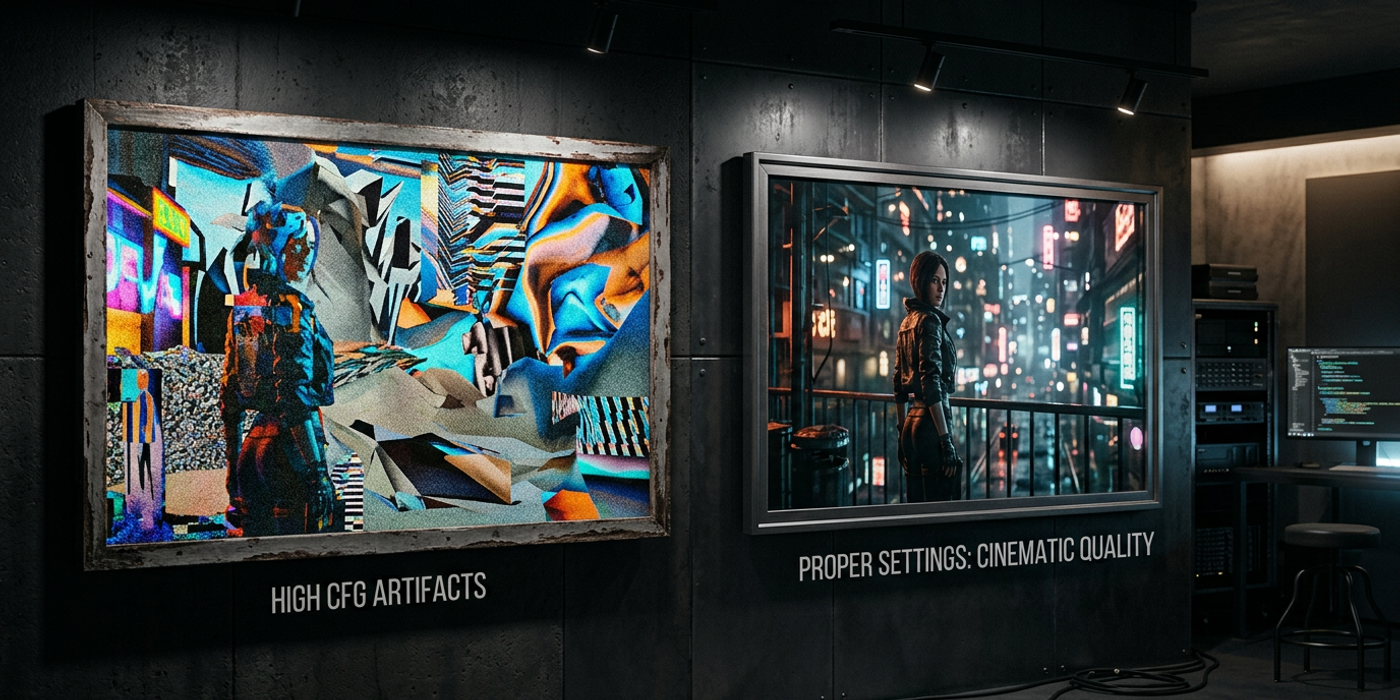
- Low CFG (1.0–4.0): More creative freedom, but may ignore key prompt elements - Medium CFG (5.0–9.0): The sweet spot for most work - High CFG (10.0–15.0): Strict adherence, but can introduce artifacts and oversaturation
The fix: Lower CFG for abstract and artistic generations that need creative freedom. Raise it for brand-accurate product shots where precision matters. If your image looks "overcooked" with harsh lighting and crushed blacks, your CFG is too high.
Mistake #4: Ignoring Aspect Ratio Impact on Composition
A 16:9 landscape and a 9:16 portrait don't just crop differently — they fundamentally change what the model generates. The same prompt at different aspect ratios can produce wildly different compositions, framing, and even subject matter.
The fix: Write aspect-ratio-aware prompts. For 9:16 vertical, specify foreground and background vertically ("a tall glass building rising above a street-level café"). For 16:9, think in horizontal thirds ("a mountain range stretching across the frame, a river winding from left to right").
Mistake #5: Forgetting Multi-Seed Consistency for Campaigns
You need 10 product images for an e-commerce campaign. Each generation looks great individually — but together, they look like 10 completely different products. Lighting angles change, colours shift, the product appears in different positions.
The fix: Use seed locking. A fixed seed value tells the model to maintain consistent noise patterns between generations. Combine this with consistent style references and identical prompt structures, varying only the element that needs to change.
Mistake #6: Overusing Negative Prompts as a Crutch
Loading the negative prompt with 20+ terms confuses the model and degrades output quality. Worse, you may be blocking good results without realising it.
The fix: Keep negative prompts tight — 3 to 6 key terms maximum. "Blurry, distorted, low quality, extra limbs" covers 90% of common issues. For model-specific problems (like "plastic skin" on certain models), add just that one term and test before keeping it.
Mistake #7: Not Adapting to Model Updates
AI image models update frequently in 2026. A prompt workflow that worked perfectly last month might produce worse results today after a fine-tune or architecture update.
The fix: Treat your favourite prompts as living documents. Maintain a prompt testing template — a standard set of 3 to 5 test prompts covering different styles (photorealism, illustration, product, portrait, landscape). Run them after major model updates to catch regressions early.
Frequently Asked Questions
Q: What's the most common advanced AI prompt mistake? A: Prompt element conflict — when two descriptors pull the model in opposite directions (e.g., "soft lighting" and "high contrast"). This is the biggest quality killer beyond basic mistakes.
Q: How do I know if my CFG scale is too high? A: If your images have harsh, oversaturated colours, crushed blacks, or an overcooked AI look, your CFG is probably too high. Dial it back by 1.0 to 2.0 and see if results look more natural.
Q: Should I use the same prompt across different AI models? A: No. Each model has unique training data and strengths. A prompt tuned for Seedream 4 will underperform on Flux Schnell or Meta Muse. Adapt your prompt structure per model.
Q: How many terms should a negative prompt have? A: Keep it to 3 to 6 key terms. More than that and the model starts ignoring parts or producing degraded results focused on avoidance rather than creation.
Q: What aspect ratio is best for AI image generation? A: Depends on your use case. 3:2 and 4:3 are good all-rounders. For social media, use 1:1 (Instagram), 9:16 (Reels/TikTok), or 16:9 (YouTube). Always test at the target ratio.
Q: How do I maintain consistency across many AI generations? A: Use seed locking (fixed seed value), consistent style references, and identical prompt structures. Only vary the specific element that needs to change between generations.
Q: How often should I update my AI prompts? A: After every major model update. Models improve every few weeks — what worked before may need adjustment. Run a prompt test suite after each update to catch regressions.
Q: Can I use AI prompts from one model on another? A: You can try, but expect different results. Each model interprets language differently. Always test and tune prompts per model for best results.