AI workflow automation in 2026: batch generation, API pipelines, reusable model presets, and real ROI data. A practical guide for Hong Kong creative teams.
If you're a designer, marketer, or agency owner in Hong Kong, your workflow tools changed more in the past six months than in the previous five years. Since June 2026, the AI creative landscape has shifted hard: new video models ship weekly, image generation hit real-time speeds, and API-based pipelines turned manual prompting into automated production.
The question is no longer "should I use AI?" — it's "how do I build a workflow that lets AI do the heavy lifting while I focus on creative direction?"
The 2026 AI Creative Stack Is Faster and More Integrated
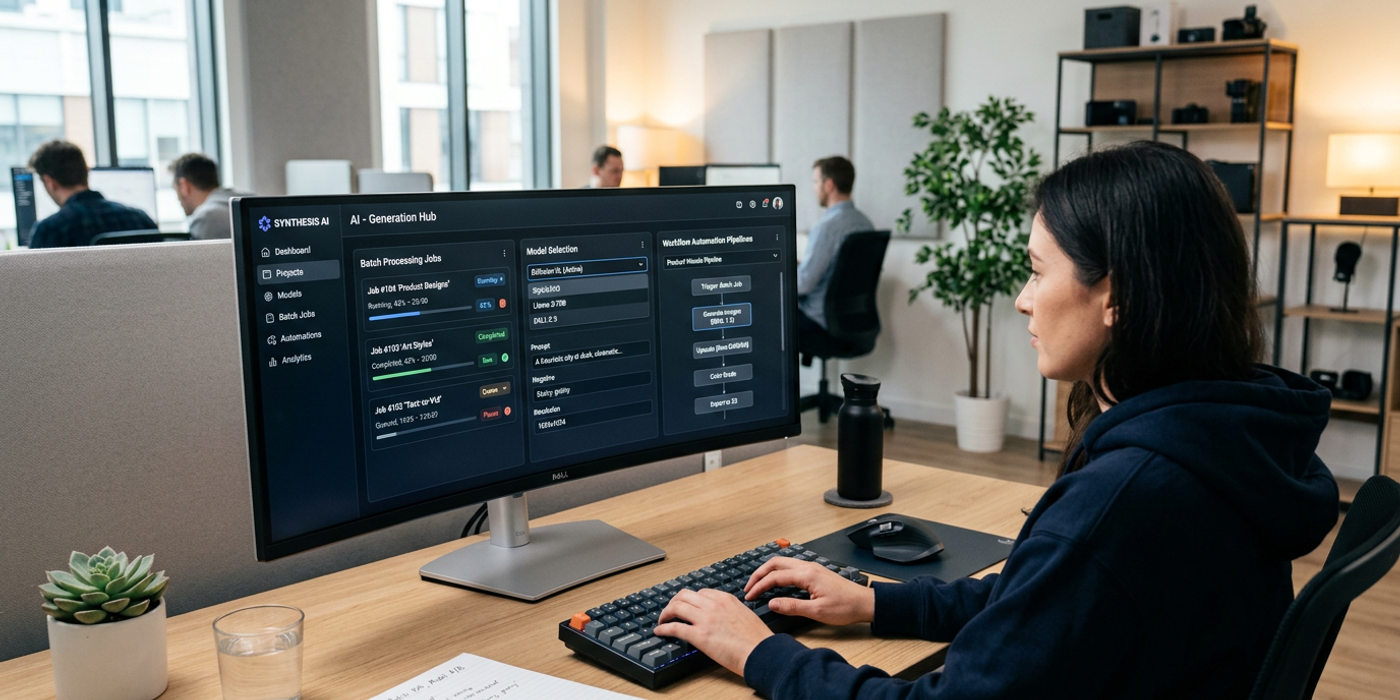
The tools available today are fundamentally different from what existed even three months ago. Batch generation is now standard across every major platform. Cooly Studio lets you queue 50+ generation jobs, tweak parameters per job, and review everything in one dashboard. Models like Nano Banana 2 and Seedream 4 produce usable output in under three seconds per image.
For video, the landscape has exploded. Veo 3.1, Kling 3.0, Seedance 2.5, FLUX 3 Video, and MiniMax H3 all delivered major updates since mid-2026. Each has its own strengths, but the common thread is speed: most produce 5-10 second clips in under 60 seconds. That makes iterative video creation genuinely viable for production workflows, not just early-stage concepting.
Audio generation has also matured. NVIDIA Magpie TTS brings open-weight multilingual voice in 12 languages including Mandarin and Cantonese. Google Lyria 3.5 turns audio editing into a prompt-based workflow. For Hong Kong creators producing bilingual content, these tools remove one of the biggest friction points: finding and booking voice talent.
Batch Processing: The Single Biggest Time Saver
The most underused feature in AI creative tools remains batch processing. Instead of generating one image at a time, you can queue multiple prompts and let the tool work in parallel.
In practice, this means:
- Social media content batches — generate a week's worth of platform-specific visuals in one 15-minute session - Product photography variants — produce multiple angles, backgrounds, and lighting setups for e-commerce listings simultaneously - Ad creative A/B testing — generate 10-15 visual directions in parallel and compare them side by side - Moodboard exploration — explore 5-6 visual directions for a campaign in the time it used to take to create one
The key insight from agencies already doing this: batch generation changes how you brief. Instead of "let's see one direction first," you present a gallery of options in the first review. Clients respond faster because they see range, not approximation.
API Pipelines: From Manual to Automated
The biggest shift in 2026 is the move from manual prompting to automated pipelines. Every major AI model now offers API access, and Hong Kong agencies are building custom workflows that connect generation tools directly to their production pipelines.
A typical pipeline might look like:
1. A brief comes in → triggers a prompt generation script that pulls brand guidelines from a database 2. The prompt is sent to the generation API with predefined style parameters 3. Outputs are automatically deposited into a shared cloud folder 4. A review tool sends a Slack notification to the creative director 5. Approved assets move to a final output queue with proper naming conventions
This turns what used to be a two-day manual process into a 30-minute automated one. The human role shifts from operator to curator — you review, select, and direct rather than type prompts one at a time.
For Mad Epoch's client work — HSBC financial explainers, Hong Kong Tourism Board destination reels, Lee Kum Kee recipe content — these pipelines mean consistent brand output at significantly higher volume. The brand guidelines are encoded once and applied to every generation.
Model Presets: Encoding Your Brand Voice
One of the biggest workflow wins in 2026 is the model preset. Instead of describing your brand's visual style in every prompt, you save it as a reusable preset that applies lighting, colour palette, composition, and model preference automatically.
Cooly Studio supports saving presets per client. A new brief for a Lee Kum Kee recipe video automatically applies warm food photography parameters and a Seedance 2.5 model selection. A new brief for an HSBC corporate explainer applies cool blue tones, clean compositions, and Veo 3.1.
The time saving is substantial: what used to require 10-15 minutes of prompt engineering per job now requires zero. The preset handles the technical parameters; the creative lead writes one paragraph of direction.
Measuring ROI: What the Numbers Say
Hong Kong agencies that adopted AI workflow automation in mid-2026 are reporting concrete results:
- 60-80% faster concept-to-client-review cycles — from 3-5 days to same-day or next-day delivery - 3-5x more visual options presented per brief — clients see range earlier, reducing revision rounds - 40-60% reduction in per-project production costs — less time on prompting, fewer regeneration cycles, fewer stock asset purchases - Consistent brand output — fewer "this doesn't look like us" feedback rounds
These numbers come from mid-size Hong Kong creative agencies (10-30 person teams) serving similar clients. The ROI is clear enough that most agencies report recouping their AI tool investment within the first month.
Frequently Asked Questions
Q: Which AI models offer the fastest generation speeds in 2026? A: Nano Banana 2 and Seedream 4 both output images in under three seconds. For video, Veo 3.1 leads at 10 seconds for a 5-second clip, followed by Kling 3.0 at 15 seconds.
Q: Can I connect multiple AI tools into a single pipeline? A: Yes. Most major platforms offer REST APIs. Cooly Studio provides a unified interface that routes prompts to different models and aggregates outputs in one dashboard.
Q: How do I ensure AI-generated assets match my brand's style? A: Use model presets with saved style parameters. Combine reference image uploads with prompt templates that encode your brand's colour palette, lighting preferences, and compositional guidelines.
Q: Is API-based generation cost-effective for small teams? A: Yes. Most AI model APIs charge per generation. At typical HK agency volumes (50-200 generations per project), costs range from HKD 50-300 per project — far less than the labour cost of manual generation.
Q: What's the most common mistake teams make when automating workflows? A: Automating before optimising. Teams that build pipelines around inefficient prompts just generate bad output faster. Refine your prompt strategy manually first, then automate.
Q: Does AI workflow automation replace creative roles? A: No. It shifts the role from operator to creative director. The human focuses on strategy, direction, and quality control while AI handles the mechanical generation work.
Q: How long does it take to set up an automated AI workflow? A: A basic pipeline takes 2-4 hours to set up. A full multi-model pipeline with presets and review workflows takes 2-3 days for an experienced team.
Q: Which models are best for bilingual English and Chinese content? A: For bilingual image generation, Seedream 4 handles Chinese text in-images well. For voice, NVIDIA Magpie TTS supports Mandarin and Cantonese natively. For video, FLUX 3 Video offers lip sync in 14+ languages including Chinese.