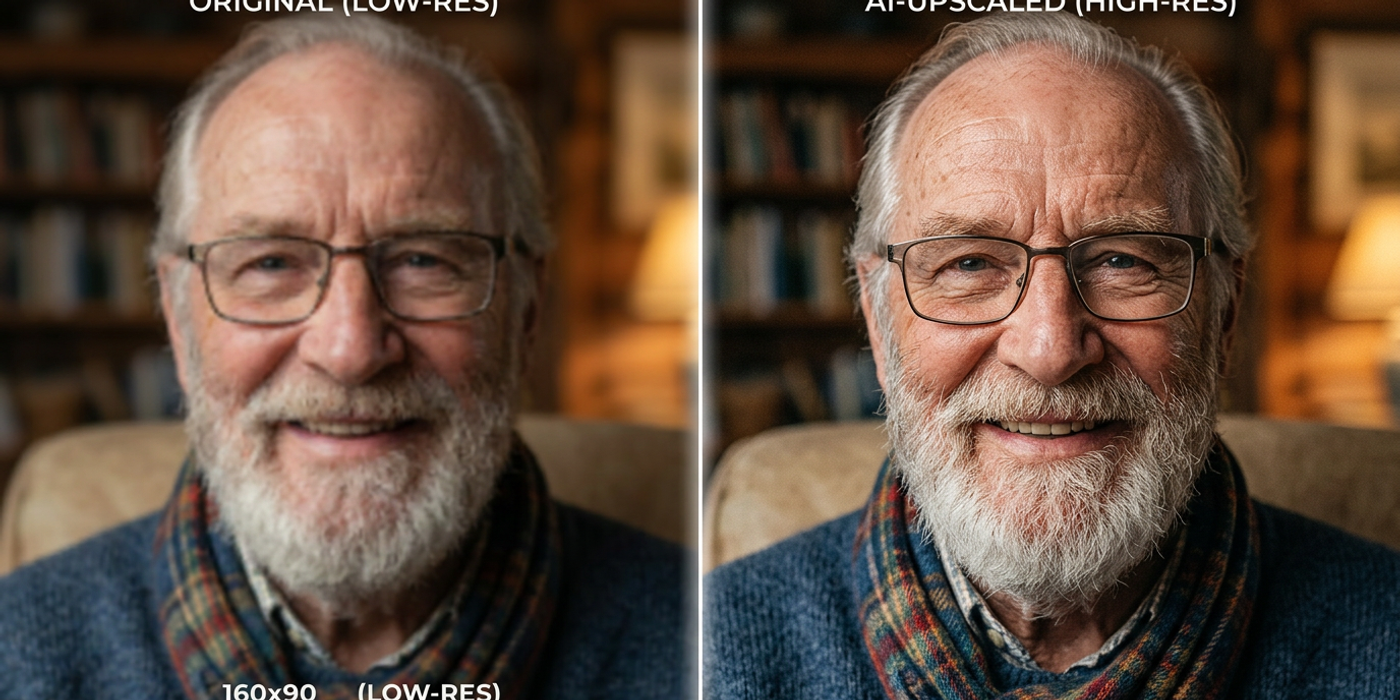
Compare the best AI image upscalers in 2026 — from Topaz Gigapixel and Magnific AI to Clipdrop and Bigjpg. Which preserves the most detail for your photos?
AI image upscalers have come a long way. What used to blur and pixelate your images now sharpens them with impressive detail. Whether you're a Hong Kong designer preparing print assets, a marketer resizing social images, or a photographer restoring old shots — picking the right upscaler matters.
But here's the thing: not all AI upscalers are equal. Some excel at photorealism. Others preserve fine text better. Some are fast and cheap. Others are slow but stunning.
In this comparison, we break down the top AI image upscalers in 2026 — how they work, where they shine, and which one preserves the most detail.
How AI Image Upscalers Work
Traditional upscaling just stretches pixels, leaving images blurry. AI upscalers reconstruct missing detail by predicting what should be there. Most use diffusion-based or GAN-based models trained on millions of high-res images. When you feed them a low-res image, they infer textures, edges, and fine patterns that were lost.
Some upscalers let you control the creative direction: - Faithful upscaling — preserves the original as closely as possible - Creative upscaling — the AI adds new detail - Lossless — keeps every original pixel while enlarging
The best tool depends on which style you need.
Topaz Gigapixel — The Professional Gold Standard
Topaz Gigapixel has been the industry leader for years, and version 8.0 (early 2026) raised the bar further. It offers six dedicated AI models you can switch between:
- Standard — best all-rounder for photos - Lines — preserves sharp edges and text - Art & CG — handles illustrations and digital art - Low Resolution — specialized for images under 300px - Face Recovery — reconstructs facial detail - Very Compressed — fixes heavy JPEG artefacts
Detail preservation: Excellent. Gigapixel is the benchmark for photorealism. The Face Recovery model can reconstruct a 50px face into something recognisable without looking fake.
Speed: Moderate. A 1080p to 4K upscale takes 10-20 seconds on a modern GPU.
Price: $99 one-time license. No subscription.
Best for: Professional photographers, print production, and anyone needing maximum control.
Magnific AI — The Creative Powerhouse
Magnific AI evolved from a premium web-based upscaler into one of the most feature-rich options. Its standout feature is the Relight and Reimagine slider, letting you push beyond simple upscaling into creative territory.
Magnific offers: - Upscaling up to 16x (512px to 8K) - Prompt-guided enhancement — describe what detail you want added - Face refinement with automatic detection - Batch processing
Detail preservation: Very high in faithful mode. Its real strength is creative mode, where it can add detail that wasn't in the original — useful for concept art and product visualization. For strictly faithful upscaling, it's slightly behind Gigapixel in raw sharpness.
Speed: Fast with premium plan (dedicated GPU queue).
Price: From $39/month (annual). More expensive than Gigapixel for heavy users.
Best for: Designers and agencies wanting both upscaling and creative enhancement.
Clipdrop Image Upscaler — Simple and Fast
Built by Stability AI, Clipdrop's upscaler is one of the fastest. Upload an image and get a 4x upscale in seconds — no settings to tweak.
Detail preservation: Good for general photography and product shots. It struggles with fine text compared to Gigapixel. Simplicity is both strength and weakness.
Speed: Very fast. Most upscales complete in 2-5 seconds.
Price: Free tier (limited resolution), $9/month for Pro.
Best for: Quick social media resizing where speed beats perfection.
Bigjpg — The Anime and Illustration Specialist
Bigjpg is optimised for illustrations, anime art, and CG renders. While general upscalers handle photos well, they can introduce noise in flat-colour areas typical of digital art.
Detail preservation: Excellent for line art and illustrations. Crisp edges, clean colours. For photography, decent but not competitive with Gigapixel.
Speed: Moderate. Server-side processing.
Price: Free tier, paid from $3.99/month.
Best for: Artists and illustrators upscaling digital art.
Upscale.media — The Free Competitor
Upscale.media (by PixelBin) is a strong free option handling photos and illustrations reasonably well. Supports 4x upscaling with automatic enhancement.
Detail preservation: Good for the price. Comparable to Clipdrop, slightly behind Gigapixel and Magnific on fine texture. Face reconstruction is strong for a free tool.
Speed: Fast. Batch processing available.
Price: Free tier with generous daily limit, paid from $15/month.
Best for: Budget-conscious creators needing decent quality without spending.
Head-to-Head: Detail Preservation
Which one preserves the most detail? Here's the ranking across multiple image types:
| Tool | Photorealism | Text/Edges | Illustrations | Face Detail | Speed | |------|-------------|------------|---------------|-------------|-------| | Topaz Gigapixel | ⭐⭐⭐⭐⭐ | ⭐⭐⭐⭐⭐ | ⭐⭐⭐⭐ | ⭐⭐⭐⭐⭐ | Medium | | Magnific AI | ⭐⭐⭐⭐⭐ | ⭐⭐⭐⭐ | ⭐⭐⭐⭐⭐ | ⭐⭐⭐⭐ | Fast | | Clipdrop | ⭐⭐⭐⭐ | ⭐⭐⭐ | ⭐⭐⭐ | ⭐⭐⭐⭐ | ⭐⭐⭐⭐⭐ | | Bigjpg | ⭐⭐⭐ | ⭐⭐⭐⭐ | ⭐⭐⭐⭐⭐ | ⭐⭐⭐ | Medium | | Upscale.media | ⭐⭐⭐⭐ | ⭐⭐⭐ | ⭐⭐⭐ | ⭐⭐⭐⭐ | ⭐⭐⭐⭐⭐ |
Winner for maximum detail preservation: Topaz Gigapixel, especially for photos where you need control. For illustrations and art: Bigjpg. For speed-to-quality at low cost: Clipdrop.
Which One Should You Pick?
Professional photography and print: Topaz Gigapixel — unmatched photorealism and control.
Creative enhancement with flexibility: Magnific AI — ideal for advertising and concept work.
Quick social media and web images: Clipdrop or Upscale.media — fast, cheap, good enough.
Digital art and illustrations: Bigjpg — designed specifically for this.
If you want to try multiple tools: Cooly Studio supports several AI models for image generation and upscaling — perfect for experimenting before committing.
Frequently Asked Questions
Q: Can AI upscalers make a low-resolution photo look like 4K? A: Yes — within limits. AI upscalers reconstruct missing detail intelligently. A 720p photo can look convincingly 4K, but images under 200px will show artefacts.
Q: Do AI upscalers work on scanned and old photos? A: Absolutely. Topaz Gigapixel and Magnific AI handle scans well, including restoration of faded areas. Gigapixel's Face Recovery is particularly useful for old photos with small or blurry faces.
Q: What's the difference between 2x, 4x, and 8x upscaling? A: 2x doubles width and height (1080p to 2160p). 4x quadruples them. For most cases, 2x or 4x with a good AI upscaler gives excellent results. 8x is rarely needed outside large-format print.
Q: Is there a genuinely good free AI upscaler? A: Yes. Upscale.media has a generous free tier. Clipdrop offers limited free resolution. Bigjpg has a free basic tier. For occasional use, these work well. For professional work, paid tools justify their cost.
Q: Can I use AI upscalers in my browser without installing anything? A: Yes. Clipdrop, Magnific AI, Upscale.media, and Bigjpg are all web-based. Only Topaz Gigapixel requires a desktop install.
Q: Which upscaler handles logos and text best? A: Topaz Gigapixel in "Lines" mode is the best choice for text-heavy images, preserving sharp edges and preventing blurred text. Bigjpg handles logo elements well in vector-style format.
Q: How much does a good AI upscaler cost? A: Free options like Upscale.media work for light use. Clipdrop Pro is $9/month. Bigjpg starts at $3.99/month. Magnific AI is about $39/month. Topaz Gigapixel is a one-time $99 purchase.
Q: Do upscaled images retain the original colour profile? A: Most tools output PNG or JPG. Topaz Gigapixel supports TIFF, PNG, JPG, and WebP with colour profile preservation (sRGB, Adobe RGB, ProPhoto RGB). Web-based tools typically output sRGB. For print work, Gigapixel's support is a significant advantage.