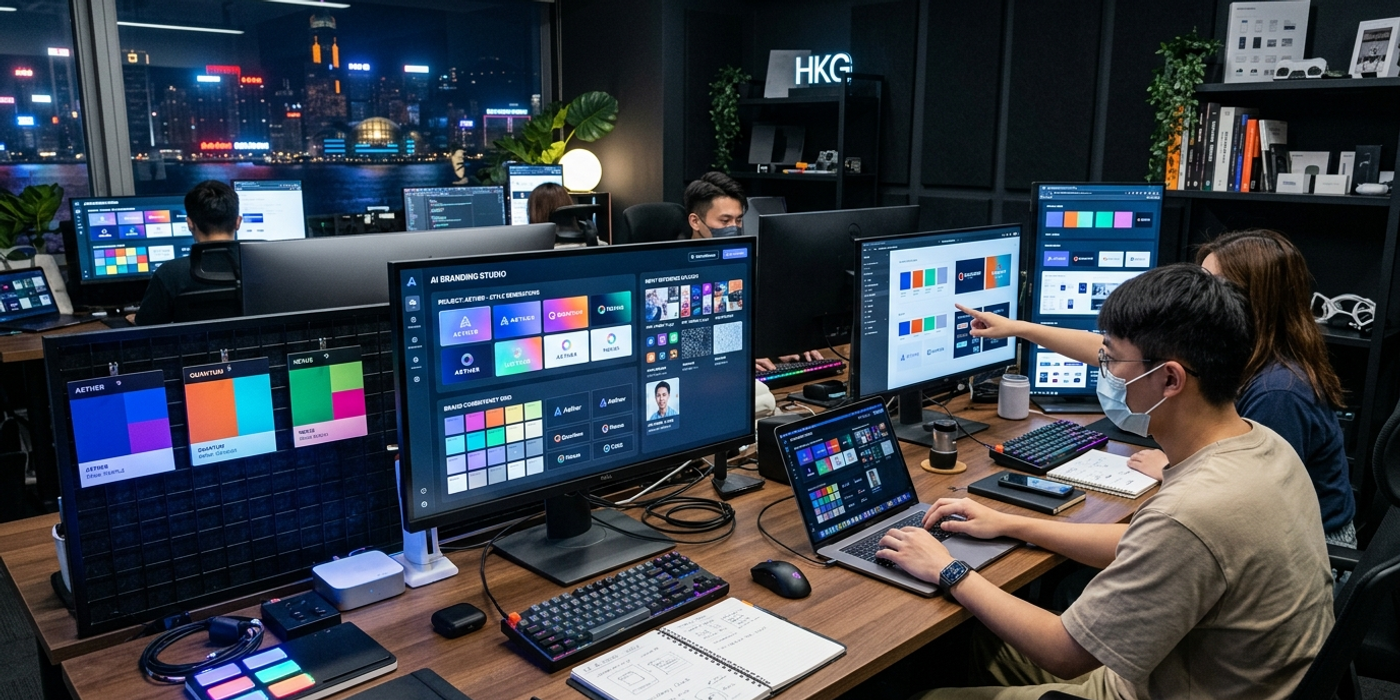
Master reference image workflows for AI brand consistency in 2026. From Seedream 4 to IP-Adapter — learn which approach works for Hong Kong brands.
Using reference images has become the cornerstone of professional AI brand consistency in 2026. Whether you're a Hong Kong creative agency juggling multiple brand guidelines or a marketing team producing content at scale, the ability to feed an AI model a single reference image and get back results that match your brand's visual identity is no longer a nice-to-have — it's a production necessity.
The landscape has changed fast. By mid-2026, every major AI image generation model ships with some form of reference image control — but they all work differently. Picking the wrong approach wastes credits and produces inconsistent results. This guide breaks down the reference image techniques that actually work for brand consistency in 2026.
How Reference Image Control Works in 2026
Reference image control lets you give an AI model a visual anchor — a logo, a product shot, or an existing campaign asset — and generate new content that stays true to that anchor. The technology falls into three categories:
Style Transfer / IP-Adapter models. These extract the visual style (colours, lighting, texture, composition) from your reference and apply it to new subjects. IP-Adapter has become the de facto standard, supported by Flux, Stable Diffusion, and many hosted platforms.
Image-to-Image (Img2Img). This preserves structure and composition while generating variations. Excellent for iterating on a specific design — taking a product mockup and generating different colourways or background treatments.
Character / Subject Reference. Models like Seedream 4, Meta Muse Image, and Midjourney now support dedicated reference modes that learn a specific subject (a brand mascot, a product) and regenerate it consistently across different scenes. This is the closest thing to a "brand character sheet" for AI generation.
Seedream 4: Character Reference for Brand Mascots
ByteDance's Seedream 4 has set a new bar for character reference consistency. Its "Character Reference" mode lets you upload 1-3 images of a subject and generate that same subject in any scene or pose you describe. For Hong Kong brands with mascots or recurring product heroes, this is transformative.
The workflow is simple: upload your reference images, write your prompt describing the new scene, and Seedream 4 handles identity preservation. Keep reference images varied (front, side, three-quarter) for best results across different angles.
Meta Muse Image: Social Context Meets Brand Consistency
Meta's Muse Image, integrated into Instagram and WhatsApp, takes a different approach. Rather than requiring explicit reference uploads, it learns brand visual patterns from your existing social media content. If your brand has a consistent feed aesthetic — specific filters, colour grading, composition styles — Muse Image can generate new on-brand content by referencing your Instagram history.
This is particularly useful for Hong Kong brands running social-first campaigns. The tradeoff is control: you get less precision than IP-Adapter but significantly faster iteration for social content.
IP-Adapter: The Universal Reference Engine
IP-Adapter v3 remains the Swiss Army knife of reference image control. It works across Flux, Stable Diffusion 3.5, and SDXL, and supports multiple reference modes:
Style reference extracts colours, textures, and compositional approach. Perfect for applying brand identity to new concepts without copying the specific subject matter.
Composition reference preserves layout and structure. Great for maintaining consistent ad template designs across a campaign.
Face/Subject reference works like Seedream 4's character mode but is model-agnostic.
For Hong Kong agencies, the killer feature is batch processing — set up a reference style for a brand once, generate dozens of on-brand variations in a single workflow.
Practical Workflow for Brand Consistency
Step 1: Build your brand reference library. Create a folder of 5-10 images capturing your brand's visual identity — representative compositions, colour palettes, lighting treatments, and subject appearances. Include diversity: dark and light backgrounds, different focal lengths, product-in-context shots.
Step 2: Choose your reference mode by task. For speed, start with Muse Image's learned reference. For precise campaign assets, use IP-Adapter style reference with Flux. For character work, use Seedream 4's character reference.
Step 3: Test with a standard prompt. Run the same prompt through each reference model with your brand images. Results can vary significantly depending on whether your brand relies on colour, texture, composition, or subject recognition.
Step 4: Build a seed library. Save the seeds once you find reference combinations that work. For IP-Adapter, note the reference image, adapter weight, and base model. This lets you reproduce results reliably across campaigns.
The Hong Kong Brand Advantage
Hong Kong brands operate in a unique visual environment — bilingual design requirements, dense urban aesthetics, and a blend of Eastern and Western sensibilities. IP-Adapter v3 has improved its handling of Chinese text in reference images, making it easier to maintain bilingual brand assets. Seedream 4's training data includes significant Asian visual content, meaning its reference modes perform better on East Asian aesthetics than Western-focused models.
Getting Started
Cooly.ai supports reference image upload across multiple models — upload a brand asset, select your reference mode, and generate. Start with one brand, one reference image, and one model. Once you see the consistency gains, scale to your full brand portfolio.
Frequently Asked Questions
Q: How many reference images do I need for good brand consistency? A: Start with 3-5 images showing different aspects of your brand identity — one logo shot, one full-brand composition, and one product-in-context image usually covers the bases.
Q: Does reference image control work with bilingual Chinese-English content? A: Yes, especially with IP-Adapter v3 and Muse Image. Include reference images that contain both Chinese and English text elements for best results.
Q: Which model gives the most consistent brand colour reproduction? A: IP-Adapter with Flux currently leads for colour accuracy. Seedream 4 is close behind, especially for East Asian colour palettes.
Q: Can I use reference images with free AI image generators? A: Most free tiers limit reference image control. For reliable brand consistency work, a paid plan with reference mode access is recommended.
Q: How do I prevent the AI from copying unwanted elements from my reference? A: Use style-only reference modes like IP-Adapter's style mode instead of full image-to-image. Adjusting the adapter weight (0.5-0.7 is a good starting range) also helps control influence.
Q: What's the difference between IP-Adapter and ControlNet for brand work? A: IP-Adapter handles style and concept reference — what the image looks like. ControlNet handles structural reference — layout and edges. Combining both is powerful for templated ad creatives.
Q: Does reference image control work for AI video? A: Yes. Veo 3.1 and Kling 3.0 both accept style reference frames. The principle is the same — provide a visual anchor and the model maintains consistency across video output.
Q: How often should I update my brand reference library? A: Update whenever your brand identity evolves. A quarterly review of your reference library is good practice.