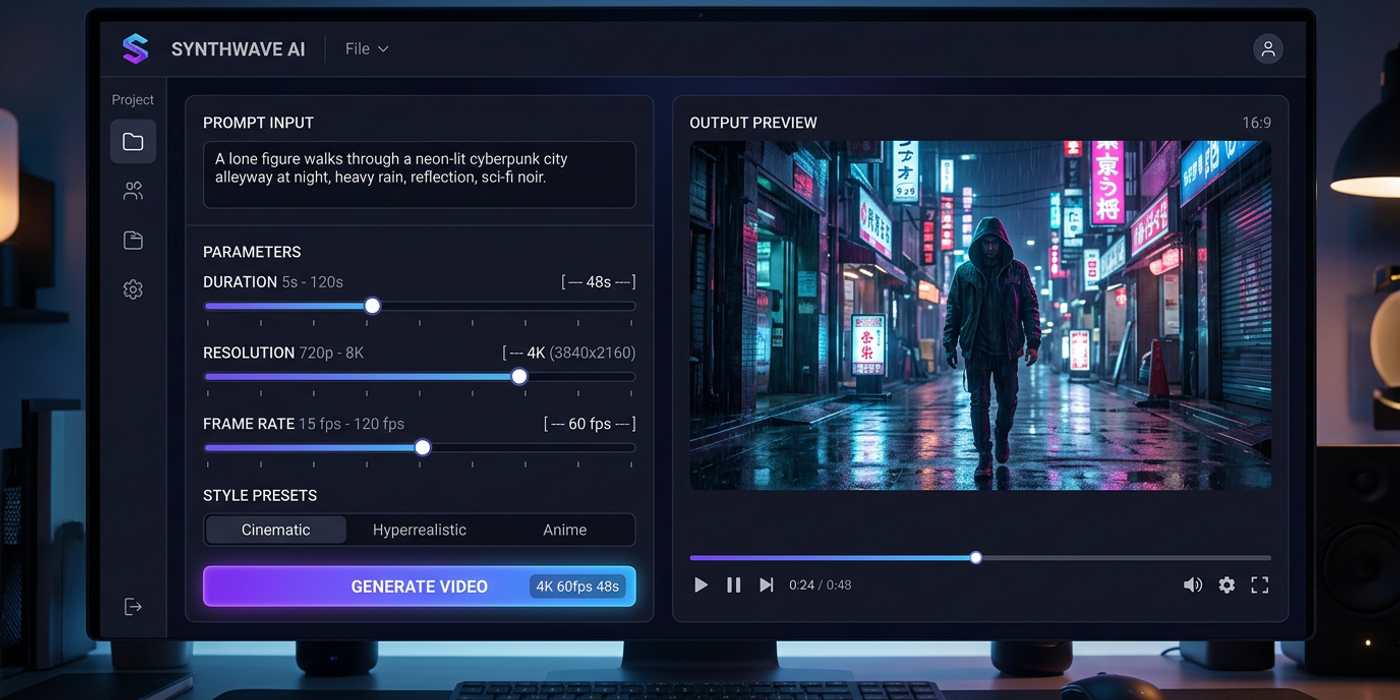
Stop guessing AI video settings. Here's a practical framework for choosing the right duration, resolution, and frame rate for every project in 2026.
New AI video models in 2026 have expanded what's possible — 4K output from LTX-2.5, 20-second clips from FLUX 3 Video, 16-keyframe control from Luma Ray3.2. But with more power comes more decisions. Duration, resolution, frame rate, aspect ratio — each choice affects quality, cost, and turnaround time. Here's how to choose the right settings for your next project.
How 2026 Model Updates Changed the Parameter Landscape
Since mid-2026, the AI video landscape has shifted significantly. FLUX 3 Video went generally available in August, bringing 20-second HD clips with native audio. LTX-2.5 arrived with open-weights 4K HDR generation and multi-shot capabilities. Luma Ray3.2 introduced 16-keyframe control with API access. Seedance 2.5 now pushes to 30 seconds per clip.
These aren't incremental updates — they change which parameters matter for which use cases. 4K is now achievable natively, not just via upscaling. 20-second clips are standard across multiple models. And native audio generation means resolution and duration choices affect audio sync quality too.
For Hong Kong creators producing commercial content, these updates mean you can now deliver broadcast-quality work from a single AI pipeline — but only if you choose the right settings for each output format.
Duration: Matching Clip Length to Your Use Case
Duration remains the most impactful parameter for both cost and quality. A 20-second video at 1080p costs roughly three to four times more than a five-second clip at the same resolution.
Current model limits (August 2026): - Seedance 2.5: up to 30 seconds at 1080p - FLUX 3 Video: up to 20 seconds at 1080p with native audio - Veo 3.1: up to 20 seconds at 1080p - Luma Ray3.2: up to 20 seconds at 1080p - Kling 3.0: up to 10 seconds at 1080p - LTX-2.5: up to 10 seconds at 4K HDR
Rule of thumb: Keep individual clips under 10 seconds unless you need continuous motion. Most professional content works best in four to eight second segments. Seedance 2.5's 30-second limit is useful for product demos and tutorials but overkill for fast-cut social content.
Resolution: When to Use 720p, 1080p, and 4K
Resolution directly affects generation time, cost, and output quality.
720p (1280×720): Drafts, client review rounds, prompt testing, social media stories. Fast to generate, low cost. Use this for 80 percent of your iteration work.
1080p (1920×1080): Final deliverables — YouTube videos, ads, website hero content, presentations. This is the professional standard. Most models hit their quality sweet spot at this resolution.
4K (3840×2160): Available natively with LTX-2.5. Best for broadcast, cinema, and large-format displays. Requires longer generation times and more GPU memory.
Practical workflow: Start at 720p. Lock your prompt, composition, and timing. Then generate the final version at 1080p or 4K. This saves credits and time on iteration.
Frame Rate: Choosing Between 24, 30, and 60 fps
Frame rate controls motion smoothness but directly impacts frame count and generation stability.
24 fps: The cinematic standard. Fewer frames per second means faster generation and fewer artifacts. Best for narrative content, brand films, and anything aiming for a filmic look.
30 fps: Broadcast and web standard. Smooth enough for tutorials, presentations, and marketing videos. A safe default if you are unsure.
60 fps: High frame rate for action content, slow-motion, and sports. Use carefully — the doubled frame count increases generation time, and not all models handle 60 fps cleanly.
New consideration: With native audio generation, frame rate also affects lip-sync accuracy. 24 fps is sufficient for most content, but if your video includes dialogue with visible speaking, 30 fps gives tighter sync.
Aspect Ratio: Match Your Platform
Most models now support custom aspect ratios. The standard options remain:
- 16:9 — YouTube, presentations, widescreen - 9:16 — TikTok, Reels, Shorts (vertical) - 1:1 — Instagram feed - 2.35:1 — CinemaScope, cinematic widescreen
Pro tip: Generate at 16:9 and crop to 9:16 for social. This lets you pan or zoom during editing rather than committing to a vertical crop at generation time.
The Trade-Off Framework
You cannot max all parameters simultaneously. Every model has a total compute budget per generation. Here is the decision order:
1. Platform determines aspect ratio and resolution floor 2. Content type determines frame rate (cinematic = 24, marketing = 30) 3. Message length determines minimum duration 4. Budget or timeline determines maximum settings
When generation is too slow, adjust in this order: lower resolution first, then reduce duration, then drop frame rate.
Frequently Asked Questions
Q: What is the best all-around setting for social media videos? A: 1080p at 30 fps in 9:16, keeping each clip under 10 seconds. This works across TikTok, Reels, and YouTube Shorts.
Q: Can I get native 4K from AI video models in 2026? A: Yes — LTX-2.5 supports native 4K HDR generation. Other models like FLUX 3 Video and Veo 3.1 max out at 1080p with optional AI upscaling.
Q: Does higher frame rate always mean better quality? A: No. Higher frame rates increase the chance of visual artifacts because the model must generate more frames per second, giving more opportunities for inconsistencies.
Q: How long should an AI-generated ad clip be? A: Four to eight seconds per clip. Professional commercials cut every three to five seconds, so shorter clips that chain together are more effective.
Q: Does native audio affect parameter choices? A: Yes. Models with native audio need consistent frame rates for lip-sync accuracy. Stick to 30 fps if your video has dialogue.
Q: What is the cheapest way to test AI video prompts? A: Generate at 720p, 24 fps, and four seconds. This uses minimal compute and lets you iterate quickly before committing to final settings.
Q: Is upscaling from 720p to 1080p as good as native 1080p? A: Not quite. Native 1080p preserves finer details. Upscaling works well for social media but may show artifacts in professional deliverables.
Q: Which model supports the longest single clip? A: Seedance 2.5 offers up to 30 seconds. FLUX 3 Video and Veo 3.1 offer 20 seconds. For most use cases, eight to 15 seconds is the practical sweet spot.