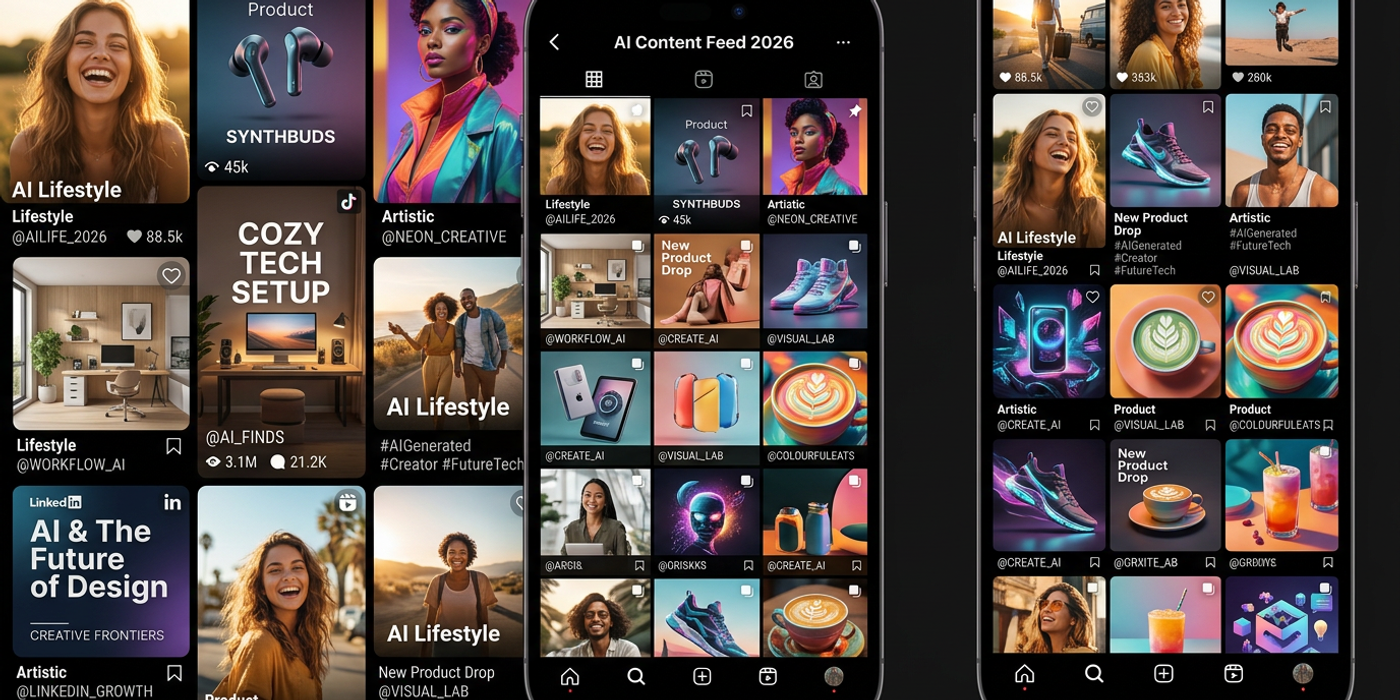
Discover the best AI image generators for social media in 2026. From Seedream 4 to Flux Schnell, find the perfect tool for Instagram, TikTok, and LinkedIn.
Social media never sleeps, and neither should your content game. In 2026, AI image generators have become the go-to tool for creators who need high-quality visuals at scale — whether you're posting daily to Instagram, running ads on TikTok, or building a LinkedIn presence. The question isn't whether to use AI, but which AI image generator to use.
Different platforms demand different styles. What works on Instagram Stories won't shine on LinkedIn. The model you choose makes a real difference. Let's break down the best AI image generators for social media in 2026, platform by platform.
Seedream 4 — The All-Rounder for Instagram and TikTok
Seedream 4 has become the most versatile AI image model for social media creators. It handles commercial-grade aesthetics — product shots, lifestyle imagery, and bold compositions that look native to Instagram feeds.
- Best for: Product photography, lifestyle content, brand assets, Instagram Stories - Key strength: Photorealism with artistic flexibility — doesn't look "AI-generated" when done right - Platform sweet spot: Instagram feed posts, TikTok thumbnails, Facebook ads
What sets Seedream 4 apart is its understanding of lighting and composition. Prompt it with "soft box lighting, shallow depth of field, product on marble surface" and you'll get something that could pass for a professional photoshoot. For social media managers juggling 10+ posts a week, that consistency is gold.
Flux Schnell — Speed King for Twitter/X and LinkedIn
Flux Schnell is the fastest high-quality AI image generator available. When a trending topic breaks and you need a visual asset in seconds, it delivers.
- Best for: Quick turnaround visuals, topical content, thought leadership graphics - Key strength: Blazing fast generation without sacrificing quality - Platform sweet spot: Twitter/X threads, LinkedIn carousels, blog social cards
Flux Schnell leans toward a clean, modern aesthetic rather than ultra-photorealism. That's actually a benefit for LinkedIn and Twitter, where overly polished imagery feels out of place. Think clean infographics and professional graphics.
Nano Banana 2 — The Creative Explorer for Experimental Content
Nano Banana 2 is the Cooly Studio native model that punches above its weight. Instead of chasing photorealism, it excels at creative interpretation — ideal for brands that want a distinctive visual style.
- Best for: Artistic content, abstract visuals, mood boards, experimental feeds - Key strength: Creative interpretation of complex prompts, handles abstract concepts well - Platform sweet spot: Instagram explore content, Pinterest pins, creative portfolios
If your brand voice is playful or avant-garde, Nano Banana 2 gives you flexibility that strict photorealism models can't match. It excels at turning metaphor-based prompts into visuals — try "a city made of music notes" and see what happens.
DALL-E 3 — The Reliability Pick for Ad Creatives
DALL-E 3 remains the gold standard for complex prompt following. When your brief calls for specific elements in specific positions — "a red coffee mug on a wooden table next to a smartphone showing the app interface" — DALL-E 3 gets the composition right most consistently.
- Best for: Specific briefs, ad creative mockups, storyboard concepts - Key strength: Exceptional prompt adherence, handles multi-element scenes - Platform sweet spot: Facebook and Instagram ad creative, Pinterest product pins
The downside: DALL-E 3's style is recognisable. Regular scrollers can spot it from a mile away. Use it when composition matters more than aesthetic surprise.
Choosing the Right Model for Each Platform
| Platform | Best Model | Why | |----------|-----------|-----| | Instagram Feed | Seedream 4 | Best balance of quality and variety for lifestyle content | | Instagram Stories | Flux Schnell | Speed matters when you're posting 5+ stories daily | | TikTok Thumbnails | Seedream 4 | Bold, clickable thumbnails with commercial polish | | LinkedIn Carousels | Flux Schnell | Clean, professional look without over-production | | Twitter/X | Flux Schnell | Speed for trending topics and news-jacking | | Pinterest | Nano Banana 2 | Artistic variety drives more saves | | Facebook Ads | DALL-E 3 | Reliable prompt adherence for A/B testing |
Pro Tips for AI-Generated Social Media Content
1. Maintain visual consistency across posts. Use the same model and similar prompt structures to build a recognisable feed aesthetic. Cooly Studio lets you save prompt templates for faster bulk generation.
2. Always resize for the platform. An image at 1:1 works for Instagram feed but not TikTok Stories. Most models support aspect ratios — use them. Seedream 4 handles 9:16, 1:1, and 4:5 well; Flux Schnell is strongest at 1:1 and 16:9.
3. Add text overlays after generation. Generate your background image with AI, then use Canva, Figma, or Cooly Studio's built-in editor to overlay typography that matches your brand guidelines.
4. Batch generate for the week ahead. Spend one hour on Sunday generating a week's worth of visuals. Most models support batch generation, and Cooly Studio lets you queue multiple prompts simultaneously.
5. Use negative prompts to avoid common tells. For LinkedIn, try "professional, clean background, natural lighting" — for Instagram, try "vibrant, editorial style, soft shadows".
Frequently Asked Questions
Q: Which AI image generator is best for Instagram in 2026? A: Seedream 4 is the top pick. It balances photorealism with creative flexibility, making feed posts and Reels thumbnails look polished. Flux Schnell is a close second for high-volume Stories where speed matters more.
Q: Can I use AI-generated images for paid social ads? A: Yes, and many brands do. Facebook, Instagram, and TikTok accept AI-generated ad creative. Use Seedream 4 or DALL-E 3, and always add a human touch — text overlay, brand elements — to avoid looking generic.
Q: How do I make AI images not look like AI? A: Three strategies: (1) Use detailed prompts with lighting and camera references — "soft window light, Canon 50mm f/1.8" beats "a person smiling". (2) Add subtle imperfections in post — grain, slight blur. (3) Choose models like Seedream 4 that prioritise natural aesthetics.
Q: What's the fastest AI image generator for breaking news? A: Flux Schnell. It generates usable images in seconds — critical for making content around trending topics on Twitter/X or LinkedIn in real time.
Q: Is Nano Banana 2 good enough for professional social media? A: Absolutely. It excels at creative content that stands out on Instagram Explore and Pinterest. While not the most photorealistic, its creative interpretation is ideal for brands with distinctive visual identities.
Q: Do I need multiple AI image models for different platforms? A: Not necessarily. Start with Seedream 4 as an all-rounder. As volume grows, add Flux Schnell for speed and DALL-E 3 for complex briefs. Cooly Studio makes switching between models seamless.
Q: How much does AI-generated social media content cost in 2026? A: Costs have dropped significantly. Most models cost pennies per generation. Cooly Studio's subscription offers unlimited generations at a flat rate — fractions of a cent per image at scale.
Q: Can AI image generators handle Chinese-language social media? A: Yes, with caveats. Seedream 4 and DALL-E 3 understand Chinese prompts well, though English prompts produce more consistent results for complex compositions. For bilingual content, generate imagery first, then add Chinese text overlays separately.