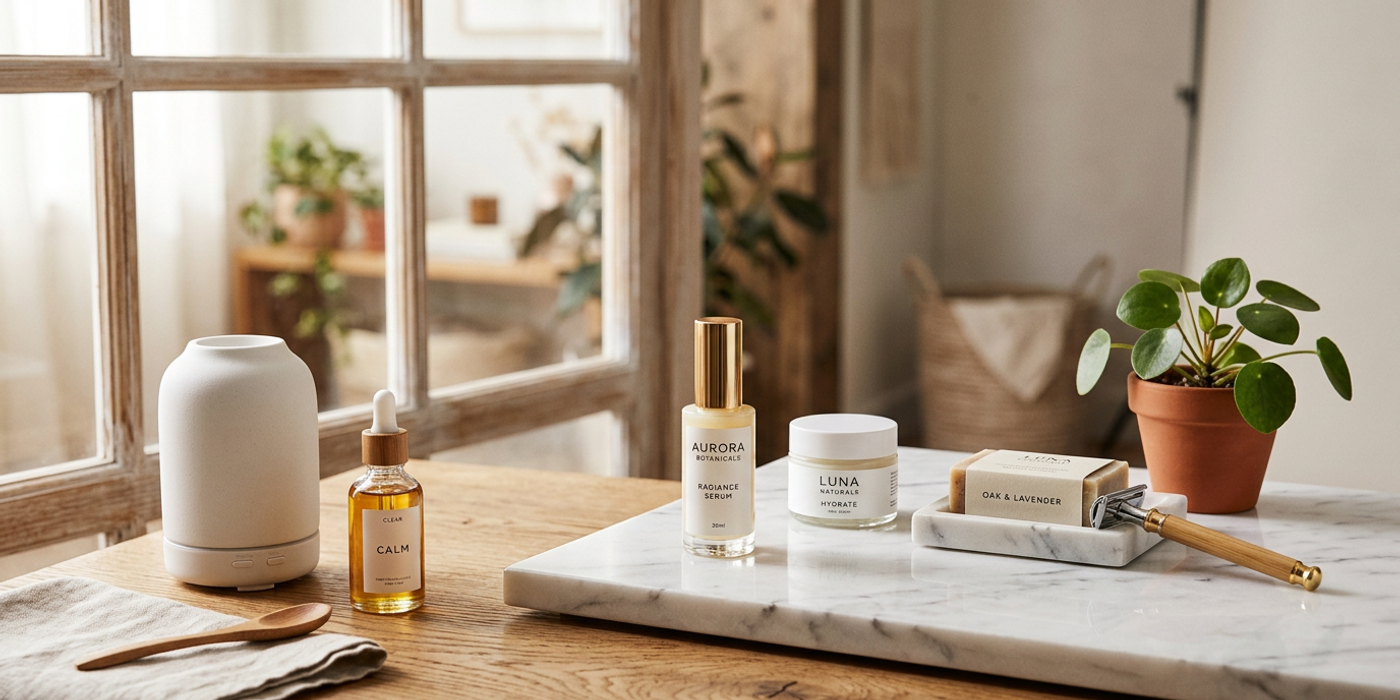
Create professional product photography with AI — no studio needed. Get studio-quality product shots in minutes with Cooly Studio's AI tools.
Professional product photography used to mean renting a studio, buying lighting equipment, and hiring a photographer — easily costing thousands per shoot. Today, AI image generation tools can produce studio-quality product shots from your laptop, with no physical setup required, in minutes rather than days.
For Hong Kong businesses, where commercial real estate is among the most expensive in the world, this shift is transformative. Here's how to create professional product photography with AI — no studio needed.
Why AI Product Photography Is a Game-Changer for Hong Kong Businesses
Hong Kong's high real estate costs make dedicated photography studios a major expense for brands and agencies. Renting a commercial photography space in Central or Tsim Sha Tsui can cost $2,000–$5,000 HKD per day — before equipment hire, stylists, and retouching.
AI product photography eliminates these overheads entirely. Here's what you save:
Zero studio rental costs — no physical space needed. You work entirely from your desk.
No equipment investment — expensive DSLR cameras, lenses, and lighting gear are replaced by well-crafted prompts.
Instant iteration — try 10 different backgrounds, angles, or lighting setups in the time a traditional photographer takes to assemble one.
No reshoot delays — if a product shot does not work, regenerate it immediately instead of scheduling another studio day.
For e-commerce businesses with hundreds of SKUs, this is a genuine revolution. What used to require weeks of studio time can now be completed in days.
How AI Product Photography Actually Works
Modern AI image models like Seedream 4, Nano Banana 2, and Flux Schnell are trained on millions of commercial product photographs. They understand lighting, composition, reflections, shadows, and product placement at a professional level.
The typical workflow looks like this:
Prepare your product reference image — a simple phone photo against a plain background is often enough. It does not need to be professional, just clear.
Write a prompt describing the shot — specify background, lighting, angle, and mood. The more detail you give, the closer the result matches your vision.
Use a reference image feature — models like Seedream 4 can ingest your product photo and render it in entirely new scenes while preserving the product's identity.
Adjust and regenerate — iterate on prompts until the result matches your brand aesthetic. Do not settle for the first output.
Download and publish — export at high resolution ready for web, print, or social media. No post-processing needed.
Best Practices for Professional Results
1. Start with a Clean Reference Image
Your reference image does not need to be professional, but it should be sharp and well-lit. Place the product on a neutral background and ensure even lighting. The cleaner the reference, the less the AI has to infer about product details like texture, colour, and shape.
2. Describe the Scene, Not Just the Product
The most common mistake beginners make is writing prompts that only list the product. Include scene context: "a minimalist ceramic vase on a marble countertop with soft window light from the left, subtle shadows, clean background, professional product photography, 4K, ultra-detailed."
The AI builds the entire image around the scene description. A detailed scene prompt consistently outperforms a bare product description.
3. Control Lighting Through Language
AI models understand lighting terminology reliably. Use specific phrases:
- "Soft studio lighting with a key light from the left and fill from the right" - "Golden hour warmth with backlight rim lighting on the product" - "Clean, diffused overhead lighting with minimal shadows for a catalog look" - "Dramatic spotlight on a dark background for a luxury, premium feel"
4. Match Your Brand Aesthetic Across Shots
Build a library of prompt templates for your brand's signature look. If your brand uses clean white backgrounds with soft shadows, save that template and apply it across every product SKU. This ensures each product image belongs to the same collection — critical for catalogue consistency.
5. Iterate in Batches
Generate 4-6 variations of each product shot, then select the best one. AI generation is fast and cheap enough that batch iteration is more productive than perfecting a single output. Pick the winner and move on.
Real Use Cases for Hong Kong Brands
E-commerce product pages — Generate consistent, high-quality product images for hundreds of SKUs at a fraction of traditional photography costs. Perfect for Hong Kong's competitive online retail market on platforms like HKTVmall and Carousell.
Social media content — Create lifestyle product shots with different backgrounds for Instagram, Facebook, and Xiaohongshu campaigns. Each platform gets its own variant without additional studio time.
WeChat Mini Program catalogues — Hong Kong brands selling through WeChat can generate entire product galleries in hours rather than weeks.
Real estate marketing — AI can stage empty rooms with furniture and decor, giving potential buyers a vision of the space without the cost of physical staging.
Menu and food photography — Restaurants and F&B brands can create professional food shots for menus and delivery apps like Foodpanda and Deliveroo.
Tools for AI Product Photography on Cooly Studio
Cooly Studio offers several models capable of professional-grade product photography:
Seedream 4 — Excellent at maintaining product identity when using reference images. Best for hero product shots where quality matters most.
Nano Banana 2 — Fast generation with strong understanding of commercial photography lighting. Great for bulk catalogue production.
Flux Schnell — Budget-friendly option for generating simple product shots at scale. Ideal for social media content where speed matters.
For best results, use Seedream 4 for your high-value hero product images and Nano Banana 2 for bulk catalogue shots. This combination balances quality and cost.
Frequently Asked Questions
Q: Do I need a professional camera for reference images? A: No. A smartphone photo against a plain background works perfectly. The AI focuses on product shape and colour — not the quality of the original photo.
Q: How many product shots can I generate in one session? A: With batch generation, you can produce dozens of variations per session. Many Hong Kong e-commerce brands process 50-100 SKUs per day using this workflow.
Q: Can AI product photography match my brand's visual identity? A: Yes. By developing consistent prompt templates and using the same model settings across your catalogue, you can maintain a cohesive brand look. Save your winning prompts for reuse.
Q: Is AI product photography suitable for luxury brands? A: Absolutely. Modern AI models generate sophisticated lighting setups and premium compositions that meet luxury brand standards. Many high-end brands now use AI for catalogue photography.
Q: What resolution can I expect from AI product photos? A: Models like Seedream 4 and Nano Banana 2 generate images up to 2048×2048 pixels at 1K+ quality — suitable for product pages, social media, and even print materials.
Q: How does AI product photography compare to traditional costs? A: Traditional product photography in Hong Kong costs $2,000–$5,000 HKD per day for studio rental plus photographer fees. AI costs pennies per image — a full catalogue campaign may cost less than one hour of studio time.
Q: Can I use my own product photos as reference images? A: Yes. Seedream 4 and other Cooly Studio models support reference image input. Upload a simple product photo and the AI generates new scenes and contexts around it.
Q: Are AI-generated product images safe for commercial use? A: Images generated through Cooly Studio are cleared for commercial use in marketing, e-commerce, and advertising. Always verify your chosen model's terms, but the models on Cooly Studio are licensed for commercial applications.