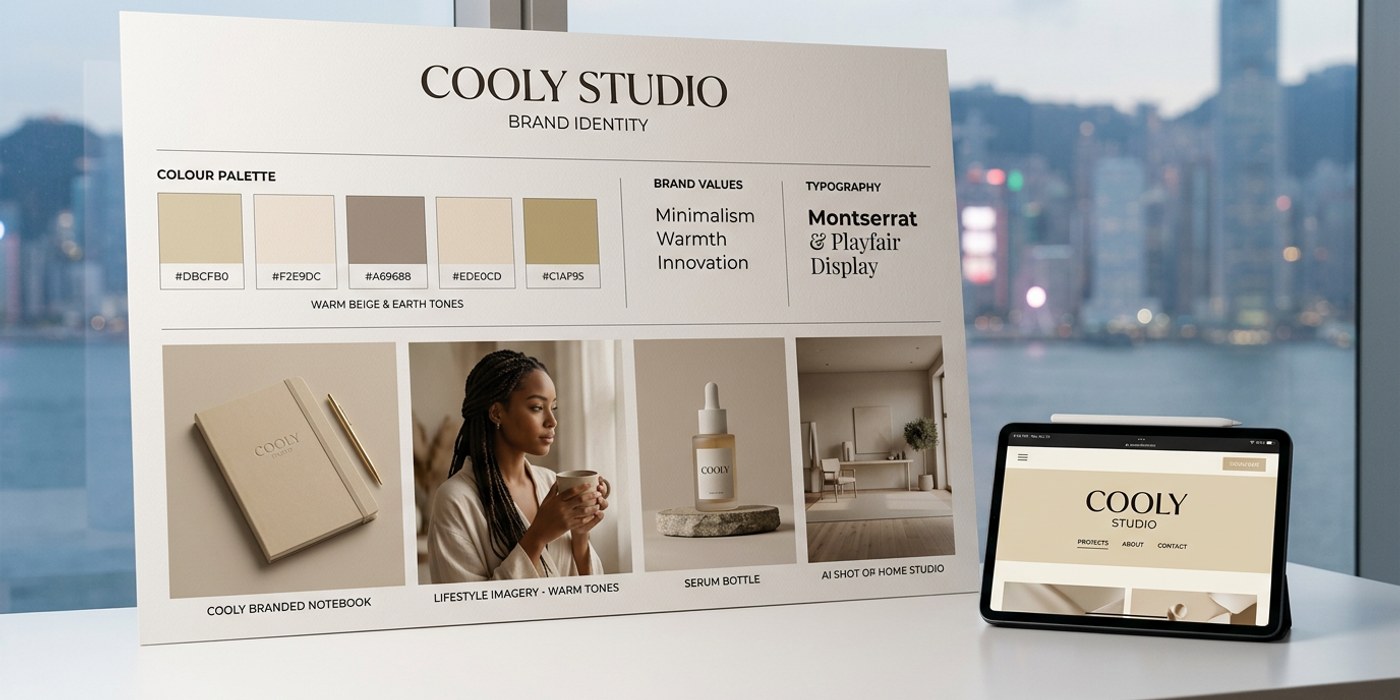
Create a consistent brand style using AI image generation in 2026 — from style guides and colour palettes to seedlocking workflows for Hong Kong brands.
Building a recognisable brand identity is one of the hardest things in creative marketing. When every Instagram post, billboard, and product shot needs to feel like it belongs to the same family, consistency becomes a real challenge — especially when you're scaling content production with AI.
The good news? AI image generation has matured to a point where brand consistency is no longer a gamble. With the right techniques, you can generate hundreds of on-brand images without sacrificing visual identity. Here's how Hong Kong brands are doing it in 2026.
Why Brand Consistency Matters More with AI
When anyone can generate a photorealistic image in seconds, the brands that stand out are the ones with a unmistakable identity. Consistency builds trust — 77% of consumers say brand familiarity influences their purchase decisions, and that number jumps when visuals are recognisable across platforms.
But AI image generation has a reputation problem: it's famously hard to get the same result twice. Each generation starts from random noise, so asking for "a modern office with blue accents" can give you five wildly different interpretations. The solution isn't to fight the randomness — it's to build a system around it.
Step 1: Build a Brand Prompt Framework
Before you generate anything, write down your brand's visual DNA. This framework acts as your prompt's backbone and should include:
Colour palette. Be specific. Instead of "blue," use "Pantone 2945C deep navy blue" or "HSL 220°, 80%, 35%". Most AI image models understand hex codes and colour references, especially when paired with training data from product photography.
Lighting style. Is your brand high-key and airy (think Apple product shots) or moody with dramatic shadows (think luxury fashion)? Words like "soft box lighting from the left" and "cinematic chiaroscuro, high contrast" give the model consistent visual cues.
Composition rules. Always centre the subject? Use the rule of thirds? Include these in your brand prompt. "Centred composition, product at 60% frame width, clean background with 40% negative space" produces predictable layouts.
Texture and finish. Matte, glossy, organic, industrial? "Smooth matte ceramic finish, no reflections, soft diffuse shadows" keeps surface treatments consistent across generations.
Store this framework in Cooly Studio's saved prompts — you don't want to retype it every time.
Step 2: Use Reference Images as Your Brand Anchor
This is the most effective technique for brand consistency. Upload 3-5 existing brand assets — a product photo, a campaign visual, a packaging shot — and use them as image-to-image reference.
Most AI models in 2026 support reference image input:
- Nano Banana 2 (default in Cooly Studio) — excellent at transferring style from reference images without copying exact content - Seedream 4 — strong at maintaining colour palettes across multiple generations - Flux Schnell — fastest for iteration but requires tighter prompts for style transfer
The trick is to vary the content while keeping the style fixed. Your prompt becomes: "Generate a new product on a white marble surface with soft overcast lighting and warm beige tones" — paired with a reference image that establishes exactly what "warm beige tones" means for your brand.
Step 3: Seedlocking for Repeatable Outputs
When you get a generation that nails your brand look, lock that seed number. Almost every AI image model in Cooly Studio exposes a seed parameter. If you find a generation with the perfect lighting and colour grade, note the seed and reuse it with different content prompts.
This gives you a "brand look" seed that you can pair with different product prompts — and get consistent aesthetics every time. For Hong Kong brands producing catalog imagery, this alone saves hours of post-production colour grading.
Step 4: Build a Brand Style Generator in Cooly Studio
Cooly Studio's workflow builder lets you chain image generation steps into repeatable brand templates. Here's a practical setup:
1. Input node — your brand prompt framework as a saved prompt template 2. Reference node — upload 3-5 approved brand images 3. Seed node — set your locked seed parameter 4. Generation node — connect to Nano Banana 2 or Seedream 4 5. Output node — chain to upscaling if needed
Once built, this workflow becomes your brand style generator. Every team member uses the same template — no more "it looks different from last week."
Step 5: Create a Brand Style Guide for AI
Document everything as a living brand style guide specifically for AI generation. Include approved colour hex codes with AI-friendly descriptions, example prompts that work, a reference image library, locked seed numbers per product category, and dos and don'ts for prompt writing.
When a new campaign starts — say, HSBC's Q3 product launch — the creative team pulls the brand guide, loads the Cooly Studio workflow, and generates on-brand assets in minutes instead of days.
Putting It All Together
A real-world example: A Hong Kong luxury skincare brand needed 200 product images for their Tmall Global store, all maintaining the same champagne-and-rose-gold premium look. Their traditional approach: 3-day photoshoot at $15,000 HKD per day plus post-production.
Their AI workflow: Brand prompt framework (champagne palette, soft diffusion, clean geometry) + 3 reference images from a past shoot + seedlocked at their preferred lighting setup + batch generation in Cooly Studio. Total: 4 hours, 200 on-brand images, consistent down to the highlight placement. Cost: under $200 HKD in API credits.
That's the promise of AI-powered brand consistency — not replacing quality, but making it reproducible at scale.
Frequently Asked Questions
Q: Can AI image generation maintain my exact brand colours? A: Yes, when you use hex codes or Pantone references in your prompts, combined with reference images and seed locking. Models like Nano Banana 2 and Seedream 4 reproduce colour palettes accurately when given consistent inputs.
Q: How many reference images do I need for consistent brand style? A: 3-5 high-quality reference images covering different angles of your product are enough. The key is choosing images that represent your ideal lighting, colour, and composition.
Q: What's the best AI model for brand-consistent generation in 2026? A: Nano Banana 2 offers the best balance of style transfer accuracy and speed. For strict colour reproduction, Seedream 4 edges ahead. For rapid iteration, Flux Schnell is hard to beat.
Q: Does seedlocking work across different AI models? A: No — each model has its own seed space. Keep separate seed lists per model.
Q: How do I handle seasonal campaigns that need a different look? A: Create a seasonal variant of your brand guide with adjusted colour palettes. Keep your brand DNA constant and vary only seasonal elements.
Q: Is AI-generated brand content suitable for luxury brands? A: Yes. Luxury brands in Hong Kong are using AI for catalog imagery, social media, and e-commerce. The key is high-quality reference images and strict prompt discipline.
Q: What's the biggest mistake brands make with AI image generation? A: Treating each generation as a one-off. Without a brand prompt framework and seed control, every generation is a roll of the dice.
Q: Can Cooly Studio help teams maintain brand consistency? A: Yes. Cooly Studio's saved prompt templates, reference image nodes, seed control, and workflow builder let you turn brand guidelines into repeatable generation pipelines.